Planning and launching a SaaS product without coding can stall due to missing guidance or readiness audits. Most no-code builders skip deep technical audits and do not provide tailored consulting for migration or rebuilds. This comparison shows consulting and tool options that match technical audits, rapid rebuild prompts, and launch support so teams can pick a fit for their needs.
Table of Contents
- SaaS Launchpad by Stratevia
- Bubble
- Glide
- DeepBuild
- 20sec.app
- Google AppSheet
- Comparison of Alternatives
SaaS Launchpad by Stratevia
At a Glance
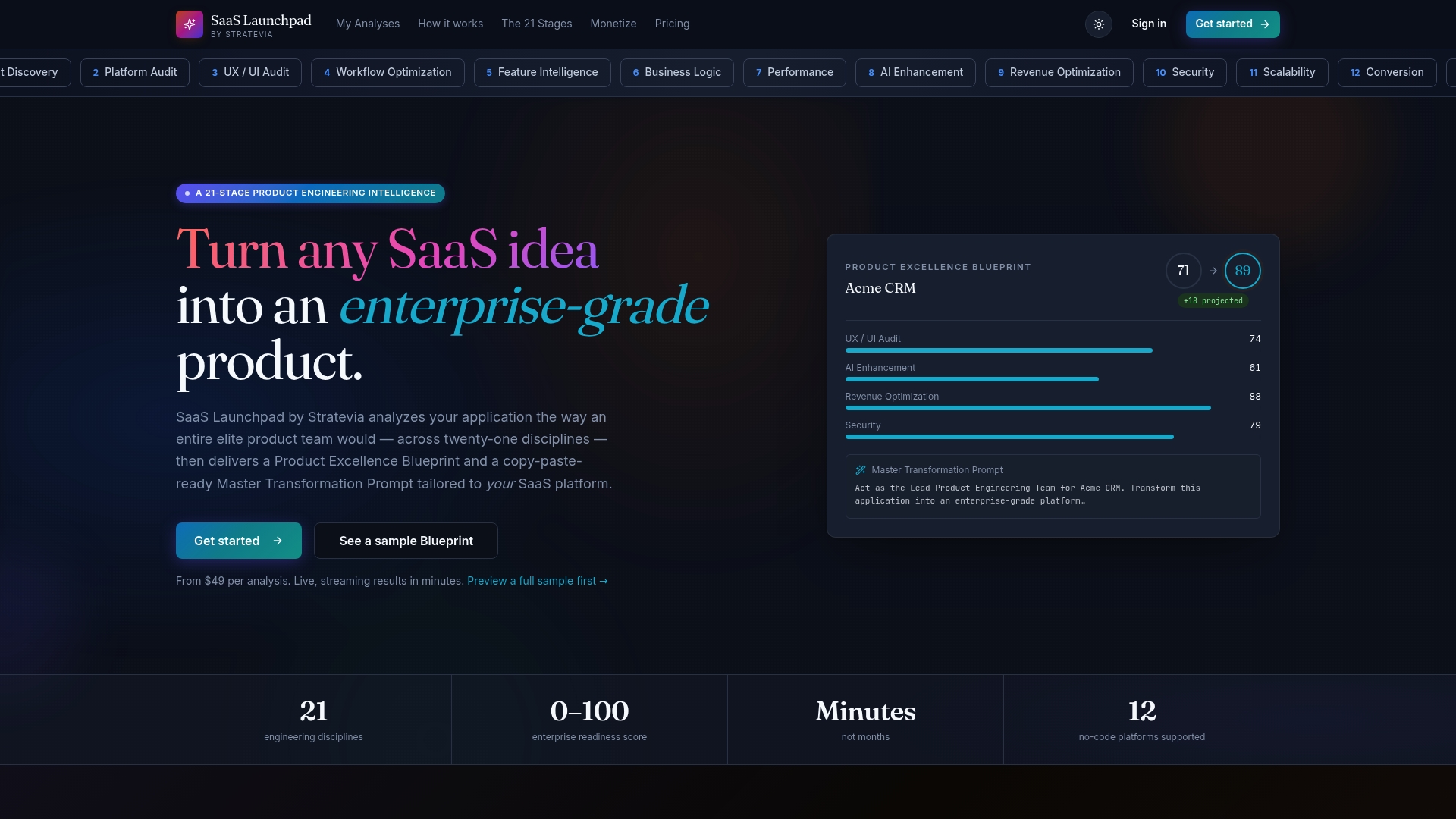
A 21 stage audit ends with a copy paste Master Transformation Prompt tailored to Bubble, Webflow, Manus, and other no code platforms. The vendor advertises results in minutes rather than months. Pricing is pay per analysis with individual reports starting at $49.
Core Features
The service runs a 21 stage product analysis covering architecture, UI and UX, security, performance, monetization, and scalability. It streams analysis output in real time and produces a Product Excellence Blueprint plus before and after impact projections. Each report includes a copy paste prompt tailored to the no code platform chosen for a rebuild.
Key Differentiator
The platform combines multi disciplinary product diagnostics with a ready to use rebuild prompt that targets specific no code platforms. That pair simulates the work of an elite product team and produces platform specific next steps you can action immediately.
Pros
SaaS Launchpad delivers a broad technical and product audit in one pass and packages findings into an implementation oriented blueprint. The copy paste prompts reduce research and spec writing when planning a migration to Bubble or Webflow. You pay per analysis rather than a subscription, so teams can budget audits around milestones. The platform supports multiple no code targets and reduces the number of discovery cycles needed before hiring builders.
Cons
- Requires a live SaaS application for analysis. It does not perform design or development work itself.
Who It's For
Founders, product managers, and agencies who already run a SaaS app and want a fast, expert style audit. It fits teams planning a no code rebuild or a focused improvement sprint. It is less useful for people who need a drag and drop builder or hands on development work.
Unique Value Proposition
Pay per analysis starting at $49 gives access to a multi disciplinary audit and a platform specific rebuild prompt without retainers. That pricing model lets small teams buy targeted product reviews as needed and get a copy paste prompt to streamline handoffs to no code builders.
Real World Use Case
A startup runs the 21 stage analysis against an early MVP to expose security and scaling gaps. The report identifies prioritized fixes and supplies a Master Transformation Prompt. The team uses the prompt to rebuild key flows on Bubble with explicit implementation notes.
Pricing
Pay per analysis starting at $49. Options include a three pack for $119 and a ten pack for $299. No subscriptions, and credits never expire.
Website: https://saaslaunchpad.org
Bubble
At a Glance
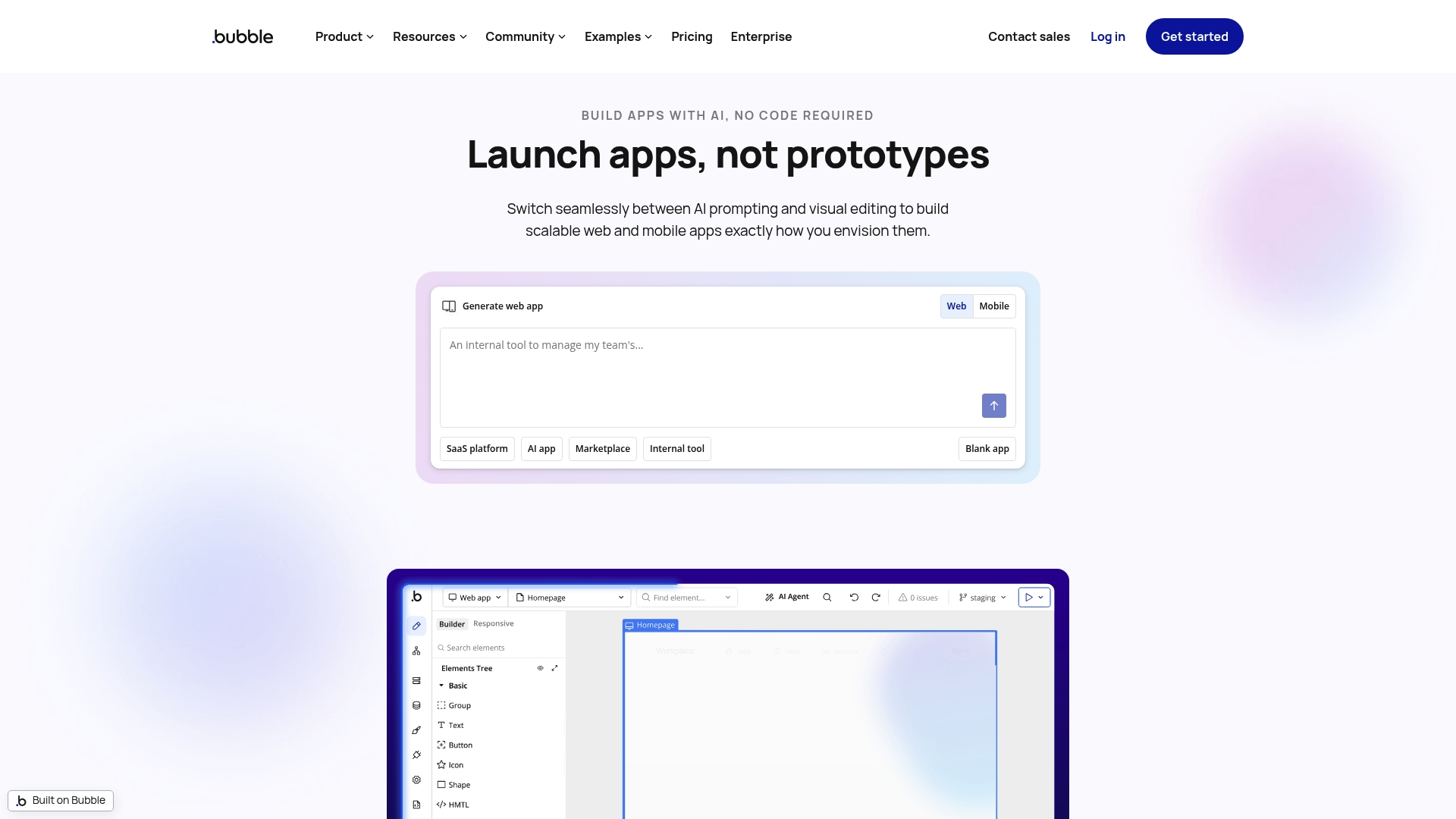
Native iOS and Android app publishing is available in beta through Bubble's mobile builder. The platform pairs AI assisted app generation with a visual editor to get prototypes running fast. That combination aims to reduce the time from idea to a working web or mobile app.
Core Features
Bubble combines AI assisted app generation from prompts with a visual drag and drop interface that handles design and logic. It includes built in hosting, responsive web layout tools, and workflow automation tied to a managed database. The mobile builder supports native iOS and Android packaging while the platform keeps control over deployment and security.
Key Differentiator
The standout feature is the AI integration that generates app scaffolding and workflows directly from natural language prompts. That capability sits inside a full visual development environment so you can edit UI, data models, and logic without touching code. The result is a faster prototyping loop than manual visual design alone.
Pros
Fast app prototyping and deployment is possible thanks to AI assistance and the visual editor, which reduces repetitive setup work. Non technical founders can build and iterate because Bubble requires no coding while still exposing granular control over data and workflows. The platform supports a shared codebase for web and mobile apps and advertises enterprise grade security and scaling capabilities for teams that need them.
Cons
-
AI generated output creates visual workflows rather than exportable source code. That limits deep customizations for teams that require raw code access.
-
High performance game engines or intensive compute tasks are not a native fit. Those scenarios require external services or custom plugins.
-
Mobile features remain in beta. Expect some limitations and extra optimization work for production mobile apps.
When It May Not Fit
If your app relies on complex real time graphics or heavy compute you will likely need external services. Projects that require direct access to a source code repo for long term maintenance may find the visual workflow model limiting. Teams that depend on niche native SDK integrations should verify plugin availability before committing.
Who It's For
Entrepreneurs, startups, and small to medium sized businesses that need custom web and mobile apps without hiring engineers will get the most value. Product managers who want to validate business models quickly will find the prototyping loop useful. Larger teams that require complete source code control should evaluate trade offs first.
Real World Use Case
A company used Bubble to prototype and ship an AI powered customer onboarding platform within weeks. The team built custom workflows, integrated data handling, and published a native mobile build via the mobile builder. The work avoided a traditional engineering sprint and allowed rapid iteration with real users.
Pricing
Bubble starts with a free tier and moves to paid plans for production needs. Paid tiers begin at $59/month for the Starter level and extend to custom enterprise pricing for large deployments. The model mixes a subscription approach with enterprise options for additional security and scaling needs.
Website: https://bubble.io
Glide
At a Glance
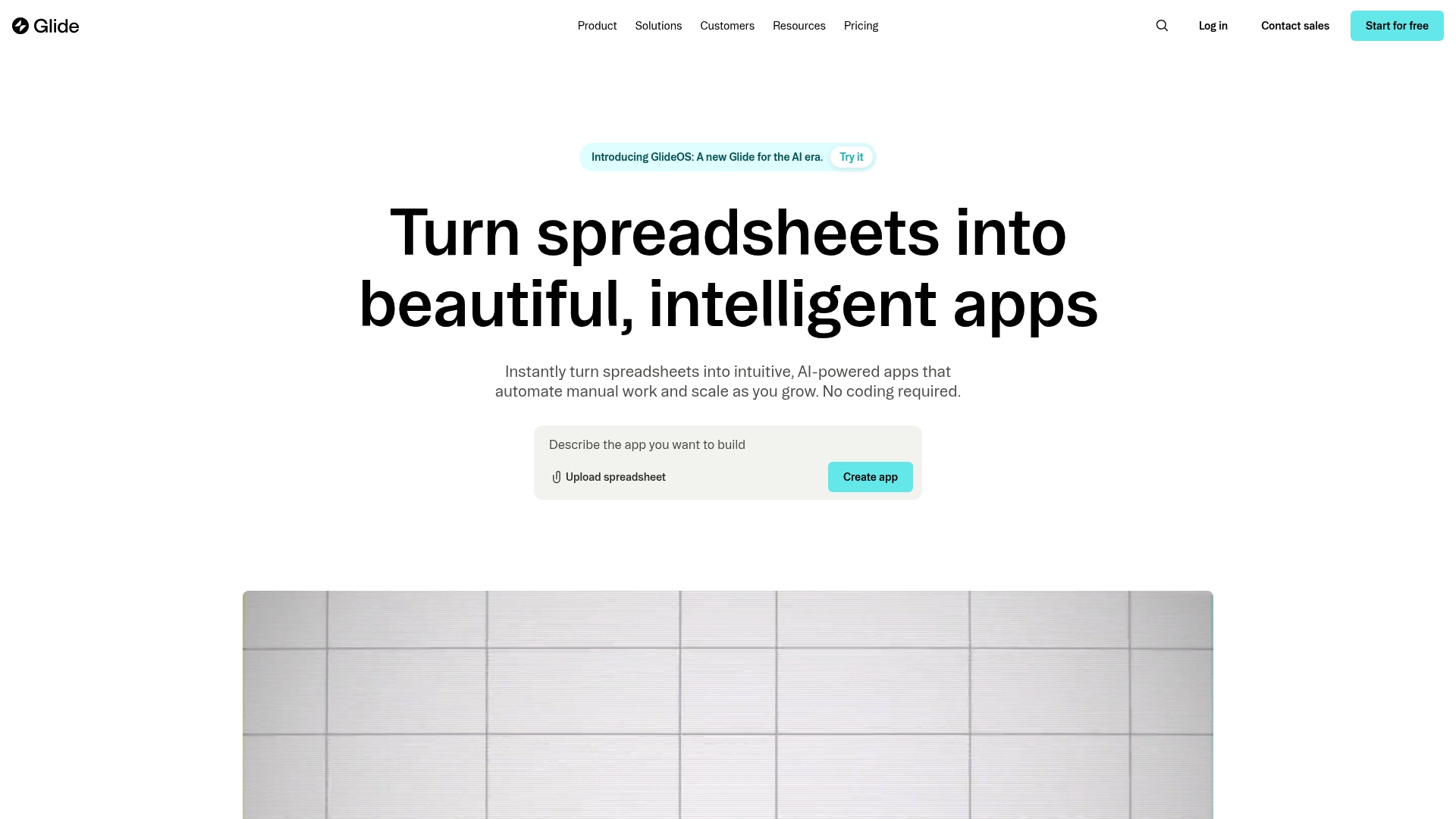
Glide reports being trusted by over 100,000 companies, making its spreadsheet to app workflow a frequent choice for operations teams. The platform pairs spreadsheet connectivity with AI-powered automation and claims support for enterprise data and security. This combination makes it fast to prototype internal tools that read and write to existing data sources.
Core Features
Glide converts spreadsheets into interactive apps and connects to Google Sheets, Airtable, and SQL databases. It offers prebuilt UI components, templates, and AI automation that trigger actions from data changes. The platform also exposes APIs for custom integrations and includes enterprise-scale security controls for teams.
Key Differentiator
Glide positions itself around rapid creation of enterprise-grade apps without code while handling large data sets. Its standout is the spreadsheet-first design plus automation features that let operations teams turn live tables into workflows. That approach reduces handoffs between business teams and developers for many internal use cases.
Pros
Glide enables fast app delivery from existing spreadsheets, so teams can launch prototypes in days rather than weeks. It supports enterprise data volumes and security controls, which helps operational teams who must keep sensitive records internal. The AI automation features cut repetitive work by triggering updates and notifications from changes in data. Templates and prebuilt components reduce design time for common workflows.
Cons
- Limited interface customization compared with hand coded applications, especially for unique brand or UX needs.
- Pricing may feel high for very small teams or projects with many users on paid plans.
- App reliability depends on the source spreadsheet or database. Poorly structured data breaks flows.
- Not suitable for complex, high performance software that requires custom code or specialized runtimes.
When It May Not Fit
Glide is the wrong choice when you need full control over performance tuning or specialized back end logic. If your app must function fully offline, the platform’s limited offline capabilities will restrict use. Teams requiring advanced client side behavior or heavy custom visualizations will outgrow its component set. Small solo projects with tight budgets may find paid plans expensive.
Notable Integrations
- Google Sheets
- Airtable
- SQL databases
- Custom APIs for bespoke connections
Who It's For
Glide fits medium and large enterprises and operational teams that want to replace manual spreadsheets with clickable tools. It suits product managers, operations leads, and IT teams that need internal dashboards, field apps, and vendor portals without a development backlog. Teams that rely on existing tables will gain the fastest wins.
Real World Use Case
A manufacturing company built an inventory tracking app that syncs with their spreadsheets and SQL database. Field staff updated counts on mobile and managers saw real time stock levels. That implementation cut email updates and centralized audits inside a single app.
Pricing
Glide offers a free tier for exploratory work and paid plans for production use. The vendor lists paid plans starting at $199 per month billed annually for the Business plan. Larger enterprises should contact sales for volume and security options.
Website: https://glideapps.com
DeepBuild
At a Glance
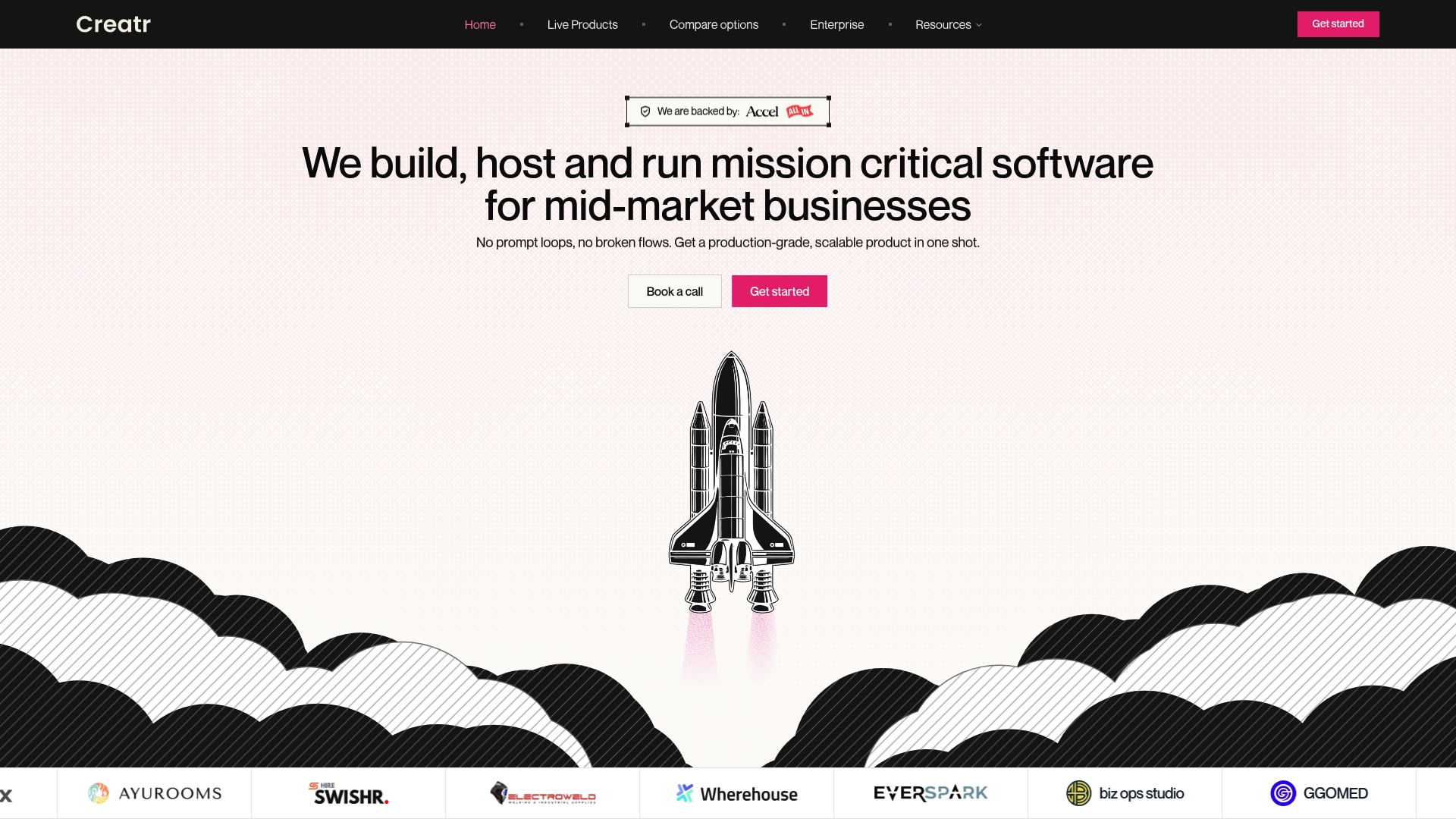
According to the company, DeepBuild can deliver a production ready app in 8–24 hours. This claim frames the offering as a long running AI agent that takes a scoped brief and executes a staged build quickly. The service also includes post launch support and infrastructure management so you receive a finished, hosted product.
Core Features
DeepBuild maps workflows and edge cases into executable specifications, then breaks complex products into multiple phases for autonomous delivery. It builds both frontend and backend and hands over code and infrastructure for full ownership. The platform lists 100+ integrations including Gmail, Stripe, Twilio, and Airtable to connect common business workflows.
Key Differentiator
The main differentiator is DeepBuild’s AI powered structured execution that plans and builds production grade apps in one shot while delivering full code and hosting options. That approach shifts engineering work from managing developers to defining scope and review cycles. Teams that want a single accountable delivery engine get a clearer handoff and ownership model.
Pros
DeepBuild supports rapid delivery and claims a very short build timeline. That timeline helps teams move from concept to launch far faster than traditional agency cycles. Structured planning and autonomous execution increase predictability and reduce coordination overhead, which improves reliability for operational apps.
Full ownership of code and infrastructure lets you modify or extend the system without vendor lock in. Built in hosting, maintenance, and support cut the operational work your team would otherwise absorb. The platform can handle complex, configurable products such as billing systems and dispatch platforms.
Cons
- Projects needing highly niche or unsupported third party services will face limits, because not every integration is included out of the box.
- Teams that expect highly iterative, experimental development may find the one shot execution less flexible than manual engineering.
- Very small or trivial apps may be faster and cheaper to build with lightweight no code interfaces rather than this service.
- The client must supply clear specifications for best results, which raises the bar on initial scoping.
When It May Not Fit
If you need a throwaway prototype for user testing, DeepBuild’s operational focus will feel heavy. If your stack depends on rare or private APIs the platform may not support those connectors. Teams that prefer daily exploratory changes and open ended experiments might prefer a developer led sprint model. Organizations lacking clear product specifications will slow the process.
Notable Integrations
The platform lists connectors for common business services to reduce integration work. Key examples include:
- Gmail
- Stripe
- Twilio
- Resend
- Google Drive
- Airtable
- Zapier
Who It's For
DeepBuild targets mid market businesses and founders who need custom operational software built quickly and owned fully by the client. It fits teams that can define scope up front and want predictable, fixed pricing. It also suits organizations that prefer code ownership rather than a closed no code tool.
Real World Use Case
DeepBuild's marketing materials describe a SaaS startup that used the service to prototype, build, and deploy a CRM integrated with email and payments, allowing a market launch within days instead of months. The firm retained the code and continued iterative improvements on its own infrastructure.
Pricing
DeepBuild uses fixed, scope based pricing that aims to make costs predictable. The vendor provides detailed scope and feature breakdowns that determine the quote. Exact tiered pricing or public plans are not specified on the site.
Website: https://getcreatr.com
20sec.app
At a Glance
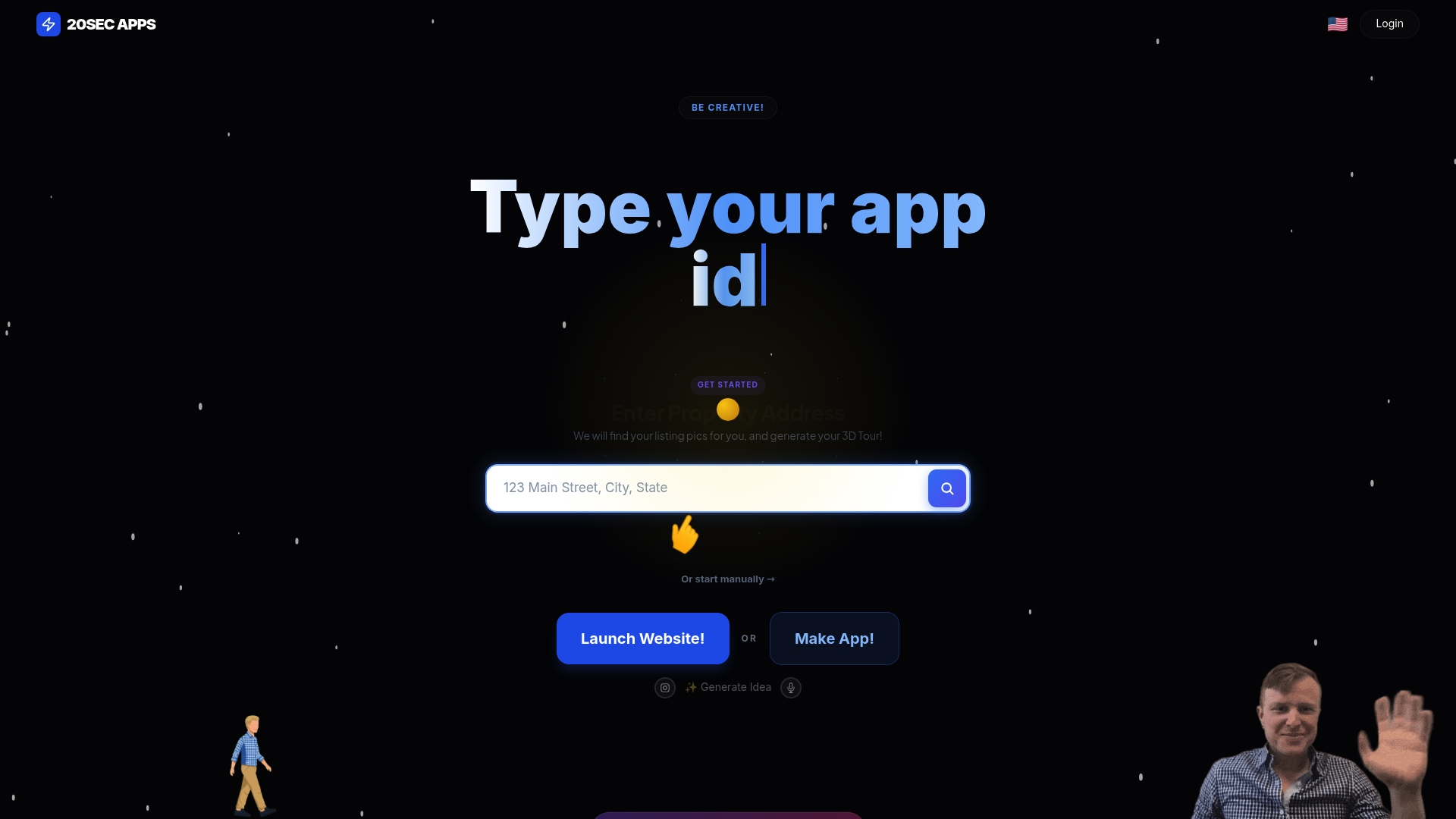
A free sandbox option sits alongside $19 /MO and $99 /MO plans, letting you test site and video generation without upfront cost. 20sec.app targets quick marketing outputs for real estate and small businesses. The platform combines hosting, outreach channels, and community access for faster deployment.
Core Features
The platform uses AI assisted website and app generation to produce landing pages and simple sites from prompts and templates. It creates real estate marketing videos and supports lead scraping from public sources, plus bulk outreach via email and WhatsApp. Hosting and deployment range from sandbox testing to a Pro server option, with optional custom development support.
Key Differentiator
20sec.app focuses on speed and marketing formats that matter to agents. Its main strength is rapid AI powered site and video generation tuned for property listings and quick outreach. That focus makes it a practical pick for sellers who need marketing assets fast rather than full custom builds.
Pros
The platform makes it fast to publish a property page or short marketing video, so you spend less time on setup and more time selling. A free sandbox and two paid tiers let you scale from experimenting to a hosted site with outreach features. Community channels and support reduce onboarding friction, and built in email and WhatsApp outreach means you can run a campaign from the same dashboard.
Cons
- Limited public detail about the quality and depth of customization for generated sites and videos. A buyer might need to test output before committing.
- Third party reviews report occasional AI accuracy and consistency issues with generated content. Expect to edit text and media after generation.
- The AI approach restricts advanced custom work. Complex workflows or deep integrations may require a traditional developer.
- Feature focus favors real estate and small business marketing over enterprise grade functionality.
When It May Not Fit
If your project requires pixel perfect design or custom backend workflows this product will likely fall short. Large teams needing enterprise integrations and fine grained permission controls should look elsewhere. Agencies building white label platforms will find the AI driven templates limiting for full client customization.
Who It's For
Real estate agents, small business owners, and solo entrepreneurs who need fast marketing assets will get the most value. If you want to launch property pages, short listing videos, and direct outreach without a developer this fits. You should expect to edit AI output rather than receive finalized, production ready assets.
Real World Use Case
A real estate agent generates a property marketing video and a listing site in under an hour, then imports scraped leads and runs a WhatsApp and email outreach sequence. The agent edits a few lines of copy and swaps images, then pushes the site to the hosted sandbox. The campaign goes live the same day.
Pricing
Plans start with a free sandbox option for testing, then paid tiers at $19 /mo and $99 /mo for hosting and additional features. The vendor also advertises custom development assistance and community access on higher plans.
Website: https://20sec.app
Google AppSheet
At a Glance
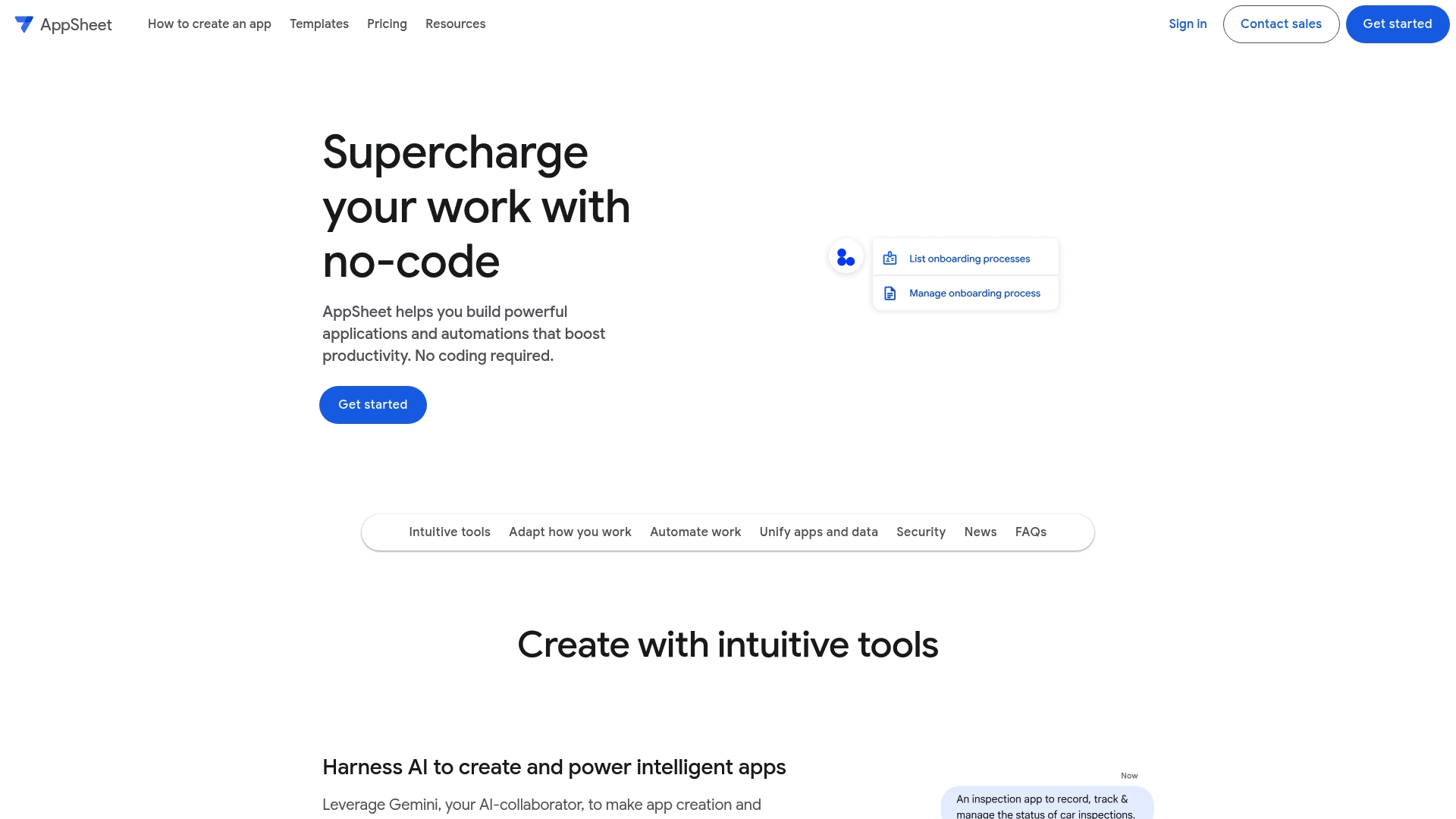
AppSheet's marketing materials say AI assisted creation with Gemini can turn ideas into working apps in minutes. The platform targets business users who need app prototypes and automations without writing code. It emphasizes mobile data capture, offline sync, and tight Google Workspace connections.
Core Features
AppSheet provides a visual builder for forms, views, and business rules, plus AI assisted scaffolding to generate app logic from plain language. It supports rich data capture such as forms, barcode scans, signatures, and photo uploads, and includes offline app functionality with background syncing. Administrators can apply data restrictions and role based access to control who sees and edits records.
Key Differentiator
The key differentiator is the use of Gemini to speed initial app creation, so that claim focuses AppSheet toward teams that need rapid prototyping and iterative proofs of concept. The platform ties the AI generated scaffolding to real data sources so prototypes can connect to live workflows quickly.
Pros
AppSheet allows non technical staff to build functional apps without code while still exposing advanced settings for developers. It integrates closely with Google Workspace which simplifies authentication and data access for organizations already using those tools. The platform offers workflow automations, notifications, and flexible data controls, and the AI assisted features reduce repetitive setup work for common app patterns.
Cons
- Some features and integrations require paid licensing. This raises entry cost for teams that need automation or advanced connectors.
- Advanced customization options are not documented in depth. Teams needing code level UI control may find limits.
- The platform requires internet access for most functions. Teams operating in prolonged offline environments will face constraints.
When It May Not Fit
If your team needs on premise hosting or an offline first architecture that avoids cloud services, AppSheet will not match that requirement. If you require pixel perfect UI control down to code level, AppSheet's visual model may feel restrictive. Organizations that demand strict on premise data governance should review cloud provider controls before committing.
Who It's For
AppSheet suits business users, citizen developers, and operations teams that want to automate processes without hiring engineers. Small businesses and departments inside larger firms will find it useful for field data collection, inventory management, and internal workflows. Teams already invested in Google Workspace will see faster setup and fewer identity hurdles.
Real World Use Case
According to the company, Airbus built an inventory logistics app in days using AppSheet. That example highlights rapid turnaround for process automation when a source table already exists. Veolia and Carrefour used AppSheet for incident tracking and facility management with limited development staff.
Pricing
Pricing starts at $5 USD per user/month for the Starter plan. Additional plans are listed at $10 and $20 USD per user/month, with higher tiers unlocking advanced features and enterprise controls.
Website: https://appsheet.com/home
Comparison of Alternatives
SaaS Launchpad offers a unique position in the market by providing multidisciplinary audits along with tailored rebuild prompts for several no-code platforms. While alternatives emphasize rapid prototyping or internal app generation, SaaS Launchpad provides structured analytics that bridge product assessment with action-ready development guidelines.
Efficiency Versus Custom Tailoring
Bubble leads in rapid app creation by combining AI-assisted feature generation with a user-friendly visual editor. This helps non-technical founders create prototypes quickly. Meanwhile, SaaS Launchpad differentiates itself by offering deeper insights into existing SaaS architectures, producing specific improvement blueprints that streamline migrations or upgrades.
Where Workflow Complexity Expands
Glide simplifies app generation by directly linking with spreadsheets and database tables, which is useful for operational apps. DeepBuild provides autonomous product builds, delivering code ownership and detailed integration options for scoped projects. These competitors serve distinct needs: Glide benefits enterprise teams using live spreadsheets, while DeepBuild suits organizations preferring long-term code autonomy.
Best Fit
- SaaS Launchpad suits founders seeking detailed diagnostics and rebuild prompts tailored for no-code platforms like Bubble and Webflow.
- Bubble fits startup creators aiming to prototype and test app concepts quickly without coding knowledge.
- Glide benefits enterprises managing complex spreadsheet workflows who need functional mobile tools with minimal development demands.
- DeepBuild caters to mid-market businesses needing production-ready applications built under fixed scope agreements.
- 20sec.app helps real estate agents and small businesses needing straightforward marketing assets like property websites and outreach videos.
Our Pick
SaaS Launchpad emerges as the preferred choice for teams with existing SaaS applications needing precisely targeted audits and development prompts tailored to selected no-code platforms. With no subscription commitment and pay-per-analysis pricing, it becomes a strategic tool for milestone-driven development without sustained overhead. However, Bubble remains a solid option for prototyping-first approaches to idea validation.
The table below compares available no-code platforms, focusing on their key features, suitability, and limitations to assist in selecting the most appropriate for your project.
| Platform | Core Feature | Key Differentiator | Pricing | Notable Limitation |
|---|---|---|---|---|
| Saaslaunchpad | 21-stage SaaS audit framework | Tailored rebuild prompts for no-code platforms | Starting at $49 per report | Requires live SaaS application for analysis |
| Bubble | AI-assisted visual app builder | AI creates workflows from prompts | Starting at $59/month | No raw source code access |
| Glide | Spreadsheet-to-app transformation | AI-enabled automation from data changes | Starting at $199/month | Limited interface customization |
| DeepBuild | AI-powered multi-phase app creation | Combines planning, execution, and hosting | Price not published | Limited flexibility in iterative development |
| 20sec.app | AI site and video generation for marketing | Rapid marketing materials creation | Starting at $19/month | Lacks custom back-end functionality |
| Google AppSheet | Visual builder with AI scaffolding | Tight integration with Google Workspace | Starting at $5/user/month | Requires internet connectivity |
How to Choose the Right No-Code App Builder for Your SaaS Product
Building a SaaS product without coding can raise many questions about quality, scalability, and practical next steps. Many founders, product managers, and agencies face challenges evaluating complex options like Bubble and Glide while aiming for expert-level insights without hiring a large team.
Saaslaunchpad bridges this gap by delivering a thorough 21-stage audit that captures the key architectural, UI, security, and performance issues your app may have. Alongside a clear Product Excellence Blueprint, it provides a copy-paste-ready Master Transformation Prompt tailored to no-code platforms like Bubble or Webflow. This approach helps teams reduce guesswork and accelerate their app rebuild or improvement plans without delay.
Explore Saaslaunchpad to get a detailed product audit and actionable next steps that help you plan your no-code rebuild with confidence.
FAQ
How does Saaslaunchpad support product audits for no-code app migrations?
Saaslaunchpad provides a detailed 21-stage product analysis that includes architecture, UI and UX, security, performance, monetization, and scalability assessments. This extensive audit results in a Product Excellence Blueprint, allowing teams to focus on areas that need improvement. You can use these insights to effectively plan your migration to a no-code platform like Bubble or Webflow.
What is the difference between Saaslaunchpad and Bubble?
Bubble excels in providing a visual editor that enables non-technical founders to build and iterate applications quickly without coding. Saaslaunchpad, on the other hand, is ideal for startups looking for a thorough audit of their existing SaaS applications and a tailored restart plan. Both serve distinct use cases: Bubble emphasizes rapid app creation, while Saaslaunchpad focuses on in-depth product diagnostics.
Which platform offers more cost-effective auditing solutions?
Saaslaunchpad has a pricing model starting at $49 per analysis, making it a budget-friendly option for those needing quick product audits. In contrast, Bubble's paid plans initiate at $59/month, which may not cater to short-term analysis needs. Expect to achieve a comprehensive audit without a long-term financial commitment through Saaslaunchpad.
Can I use Saaslaunchpad if my app is still in the ideation phase?
Saaslaunchpad requires a live SaaS application for analysis and does not offer design or development work. This means you should have an MVP or an existing app to take full advantage of its audit services. If you're still in the early phases, consider developing a more concrete prototype first.
How quickly can I expect results from Saaslaunchpad?
Saaslaunchpad advertises that its audit results are available in minutes instead of months, thanks to its streamlined process. This quick turnaround allows teams to act on insights and implement recommendations rapidly, making it an efficient choice for firms looking to improve existing applications.