A win loss analysis for SaaS, in the sense that matters for product teams right now, is not a sales interview program. It's a 21-discipline product audit that tells you exactly why prospects convert, stall, or churn, and what to fix first. SaaS LaunchPad runs this as a paid, on-demand analysis: you get a Product Excellence Blueprint that ranks every issue by business impact, and a Master Transformation Prompt you can hand to an engineer or paste into a no-code builder the same day.
The audit checks enterprise-readiness markers like SOC 2 posture and SSO support, plus hard performance thresholds such as P99 latency on critical user flows. You're not buying a report you'll skim once and forget.
- Get a prioritized fix list within roughly 30 days of kickoff
- Pay per analysis credit, with no expiration and volume discounts on packs
- Receive a phased execution plan mapped to conversion and enterprise deal impact
Pro Tip: If a competing enterprise deal is stuck on a security questionnaire right now, that's your signal to buy an audit this week, not next quarter.
Key Takeaways
The fastest path to measurable conversion and enterprise-readiness gains is a prioritized, expert-led product audit rather than another round of internal guesswork.
| Point | Details |
|---|---|
| Audit means product review, not interviews | The 21-discipline audit evaluates your platform directly; it does not replace sales win/loss interviews. |
| Watch your P99 latency | A P99 above 500 milliseconds on critical flows counts as actionable technical debt worth fixing now. |
| SSO and SOC 2 can block enterprise deals | These two gaps are the most common reasons procurement teams stall or reject a vendor. |
| Findings get triaged, not just listed | Every issue lands in fix now, schedule next quarter, or accept, so nothing sits ignored. |
| SaaS LaunchPad delivers a ready-to-use plan | Buy analysis credits with no expiry to get a Product Excellence Blueprint and a copy-paste Master Transformation Prompt within about 30 days. |
Primary sources and where to learn more
- Jagatjeet's technical debt guide sets concrete latency and coverage thresholds.
- SSOJet's enterprise readiness checklist lists common procurement blockers.
- WorkOS's enterprise features guide details audit log and SIEM requirements.
- ProductPlan's glossary entry frames enterprise-readiness as a trust test.
Table of Contents
- What Is Win Loss Analysis for SaaS, and What Does It Cover?
- The 21 Disciplines, Grouped for Quick Scanning
- How the Audit Runs: Inputs, Steps, and Deliverables
- When Should You Actually Buy This Audit?
- What Results Should You Expect?
- How to Choose an Audit Provider Without Getting Burned
- Why Outside-In Audits Win Faster
- Getting Started With SaaS LaunchPad
- Sources
- FAQ
What Is Win Loss Analysis for SaaS, and What Does It Cover?
Forget the sales team definition for a moment. In this context, a win loss analysis is an expert-led, outside-in review of your entire product, not a set of interviews with lost prospects. It examines your SaaS platform the way an experienced product leader, a security architect, and a growth engineer would if they sat down together for three weeks. The output isn't observations. It's a ranked list of fixes tied to revenue, churn, or deal velocity, matching how a good product audit should function: it identifies what's broken, what's missing, and what to fix first, each with an effort and impact estimate attached.
The audit spans five practical zones:
- Product fit: does the core workflow match what your ideal customer actually needs?
- UX and onboarding: where users get stuck or abandon setup
- Performance and reliability: latency, uptime, and error budgets under real load
- Security and compliance: SOC 2 readiness, access controls, audit trails
- Go-to-market alignment: pricing, packaging, positioning, and sales enablement gaps
What it's explicitly not: a round of calls with prospects who said no to your sales rep. That's a different discipline entirely, and confusing the two sets the wrong expectations before you even start. If you already run customer win/loss interviews for deal-level insight, pair them with a product audit rather than substituting one for the other. Interviews tell you what a handful of buyers said. The audit tells you what's structurally true across your whole platform.
The 21 Disciplines, Grouped for Quick Scanning
Twenty-one items is a lot to hold in your head, so SaaS LaunchPad groups them into buckets you can scan in under two minutes and immediately spot your own gaps.
Product-market fit and discovery checks whether your ICP is written down clearly, whether you've had enough recent customer conversations to validate direction, and whether there's real purchase intent behind the roadmap. UX and onboarding covers first-run completion rates, time-to-value, and friction points in account setup. Instrumentation and analytics looks at whether you can actually answer "why did this user churn" with data, or just guesses.
Technical health and performance is where hard numbers show up. A P99 latency above 500 milliseconds on a critical endpoint counts as actionable technical debt, and the same source flags a large gzipped Javascript bundle size as a sign of structural front-end debt worth fixing. Security, identity, and controls covers SSO, SCIM provisioning, audit logging, and SOC 2 posture, the exact items that trip up enterprise deals most often. Commercial and pricing evaluates whether your packaging matches how enterprise buyers actually want to purchase. Enterprise readiness rolls several of these together into a single procurement-facing score.
Every finding gets triaged into one of three lanes: fix now because it's costing revenue or creating risk, schedule for next quarter because it's structural, or accept as a documented cost of doing business. That triage discipline is what keeps the list from turning into another ignored spreadsheet.
How the Audit Runs: Inputs, Steps, and Deliverables
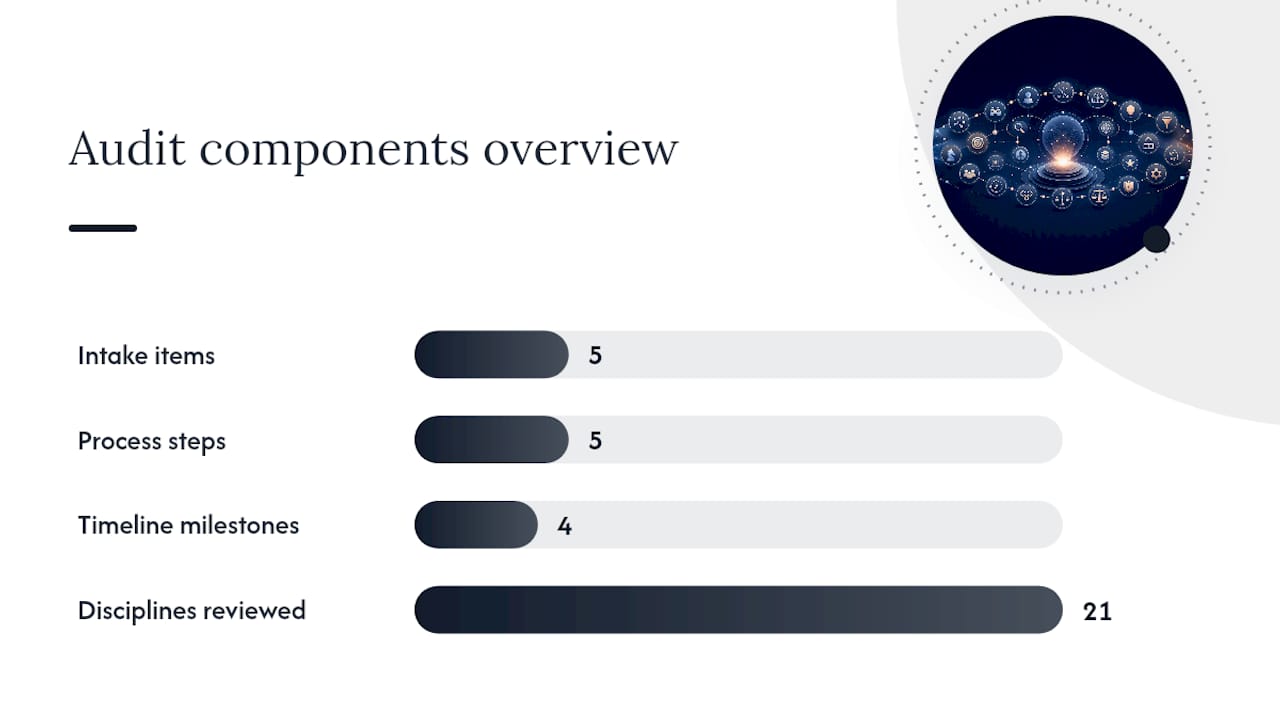
You don't need a data science team to prepare. SaaS LaunchPad asks for read access to your product analytics, a copy of the current roadmap, recent support tickets, whatever security documentation exists, and a short description of your target customer profile. That's the whole intake list.
From there, the process moves fast:
- Kickoff call to confirm scope and access
- Diagnostics phase pulling analytics events, APM traces, and support ticket patterns
- Expert review across all 21 disciplines with technical sampling on critical code paths
- Prioritization workshop where findings get ranked by business impact versus effort
- Delivery of the Product Excellence Blueprint and Master Transformation Prompt
| Timeline | Milestone |
|---|---|
| Day 0 to 7 | Data intake and access setup |
| Week 2 | Technical sampling and instrumentation review |
| Week 3 | Prioritization workshop with your team |
| Day 30 | Blueprint and Master Transformation Prompt delivered |
You walk away with a prioritized backlog that includes rough ROI estimates per item, plus a Master Transformation Prompt written to drop directly into engineering tickets or a no-code builder's editor. Sales win/loss notes get pulled in only as context if they already exist, they're never the core evidence source here.
When Should You Actually Buy This Audit?
Some signals are louder than others, and you probably already know which one applies to you. Conversion has stalled even though usage metrics look fine. Churn ticked up right after a wave of trial signups, and nobody's sure why. An enterprise prospect just sent over an RFP asking about SOC 2 and SSO, and your team is scrambling. Critical user flows are clocking over one second at P99. Your product has more than ten features nobody uses while the core workflow gets all the traffic.
Stage matters too. Pre-launch teams use the audit to stress-test before their first big push. Growth-stage companies chasing enterprise logos use it to close the gap between where they are and what procurement expects. Teams sitting on a six or seven-figure ARR opportunity use it because one blocked security questionnaire can cost more than the audit itself.
- Stalled conversion despite steady product usage
- A live enterprise deal stuck on compliance questions
- No clear answer for why a cohort churned last quarter
What Results Should You Expect?
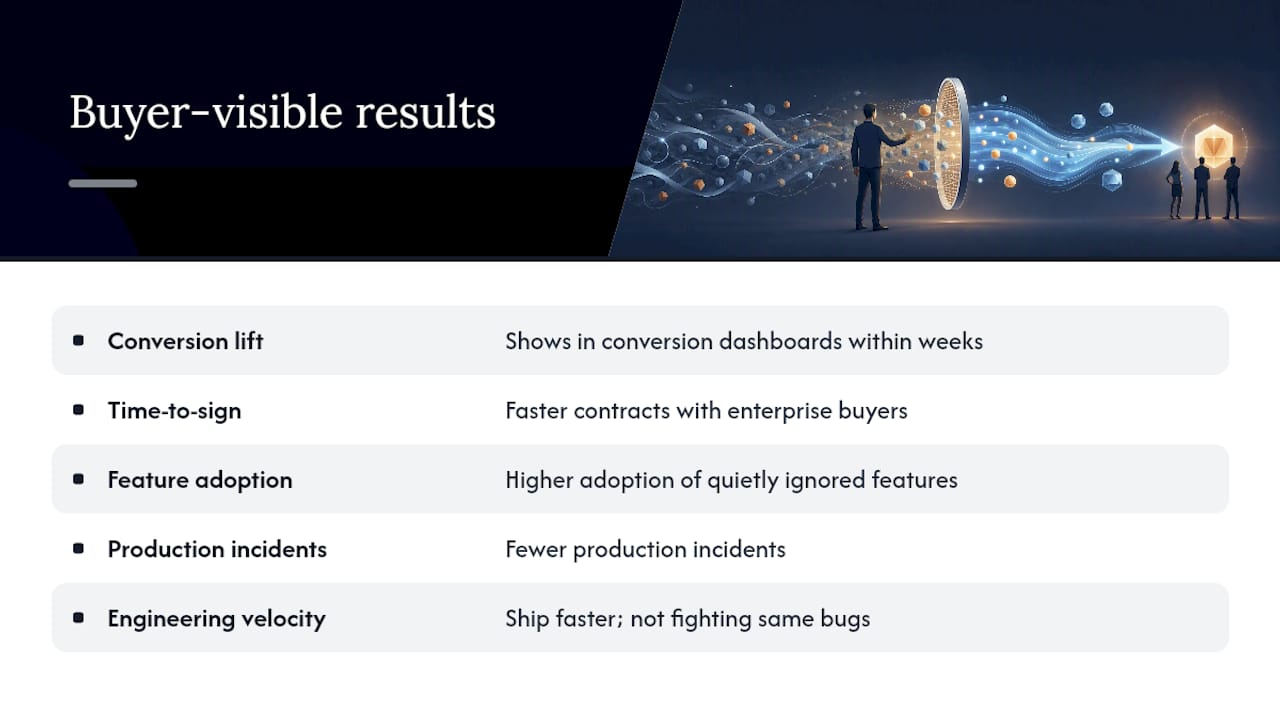
Most buyers see movement in five areas: conversion lift on key flows, faster time-to-signed-contract with enterprise buyers, higher adoption of features that were quietly ignored, fewer production incidents, and engineering teams shipping faster because they're not fighting the same bugs repeatedly.
Here's a conservative example of how that plays out. A team with P99 latency sitting at 900 milliseconds on their checkout flow fixes the missing database indexes flagged in the audit and brings it under the 500 millisecond threshold that marks the line between acceptable and actionable debt. That kind of fix, paired with onboarding friction removed the same sprint, is the type of change that shows up in conversion dashboards within a few weeks, not months.
A useful before-and-after template looks like this: document your baseline metric, list what the audit flagged as the root cause, record the specific fix shipped, then track the metric again 30 to 60 days out.
Enterprise-readiness isn't a features checklist you complete once. It's a test of whether procurement teams trust your platform enough to sign, and that trust gets built through evidence, not marketing copy.
SSO and SOC 2 remain the two most common hard blockers in enterprise procurement, which is exactly why they sit near the top of the audit's enterprise-readiness bucket rather than buried in a technical appendix.
How to Choose an Audit Provider Without Getting Burned
Not every audit is built the same, and the difference shows up fast once you ask the right questions. Look for a provider that can show you a sample Product Excellence Blueprint or an example Master Transformation Prompt before you commit. If they can't produce one, that's worth noting.
Watch for these red flags during any vendor conversation:
- A generic findings list with no prioritization or effort estimates
- No business-impact framing tied to the fixes
- Findings delivered without a usable implementation prompt or plan
- Pricing that's vague until you've already handed over access
- No coverage of enterprise blockers like SSO, SCIM, or audit logging
Ask directly about timeline, what access they need, who's actually doing the review, and how their credit system works if it's pay-per-analysis. Pro Tip: Ask to see how a provider handles the "accept as-is" category. If every finding gets marked urgent, they're not triaging, they're just listing. Match the provider to your stage: pre-revenue teams need product-fit validation more than deep security work, while growth-stage teams chasing enterprise contracts need the identity and compliance disciplines weighted heavier.
Why Outside-In Audits Win Faster
Most product teams optimize from the inside: what's easiest to build, what engineering already understands. Outside-in audits flip that. They start with the customer's actual workflow and the procurement team's actual objections, then work backward into the codebase.
That shift changes what gets prioritized. A missing SSO integration jumps ahead of a nice-to-have feature because it's the thing actually blocking revenue. When you present findings to executives or procurement, frame them around ROI and a phased plan rather than a technical laundry list. Enterprise-readiness was never really about features. It's about trust.
Getting Started With SaaS LaunchPad
SaaS LaunchPad runs the full 21-discipline analysis on demand, no subscription, no long-term contract. You buy analysis credits once, and they never expire, with volume discounts if you're planning audits across multiple products or repeat check-ins as you grow.

The purchase flow is straightforward: buy your credits, pick the analysis type that matches your stage, grant read access to your product and analytics, and the team kicks off diagnostics within days. Thirty days later you have a Product Excellence Blueprint ranked by business impact and a Master Transformation Prompt ready to hand to your engineering team or paste directly into your no-code platform's editor. You can explore the full 21-discipline methodology before you buy, or head straight to the SaaS LaunchPad landing page to select your credit pack and schedule your kickoff call.
Sources
- How to Audit Technical Debt in a SaaS Codebase — Jagatjeet
- 12 Signs Your SaaS Product Isn't Enterprise-Ready (and How to Fix Each) | SSOJet - Enterprise SSO & Identity Solutions
- The 10 enterprise features every B2B SaaS needs (and how to ship them fast) — WorkOS
- Product excellence (glossary) — ProductPlan
FAQ
Is a SaaS win loss analysis the same as sales win/loss interviews?
No. This audit reviews your product across 21 disciplines including UX, performance, and security. Sales win/loss interviews question prospects after a deal closes or falls through, a separate practice entirely.
What deliverables do I get from SaaS LaunchPad's audit?
You receive a Product Excellence Blueprint ranking issues by business impact and a Master Transformation Prompt ready to paste into engineering tickets or a no-code builder.
How long does the audit take?
The full process typically runs about 30 days from data intake to delivery of your Blueprint and Master Transformation Prompt.
What's considered a critical performance threshold during the audit?
A P99 latency above 500 milliseconds on a critical endpoint is treated as actionable technical debt worth fixing immediately.
Do I need a subscription to run this audit?
No. SaaS LaunchPad uses a pay-per-analysis credit model with no expiration, plus volume discounts for teams buying multiple audits.