
API rate limiting caps how many requests a client can send in a given time window, rejecting the excess with a 429 Too Many Requests response and a Retry-After header telling the client when to come back. For most public APIs, the sliding window counter is the right default, and the token bucket takes over when your API needs to tolerate short, legitimate bursts.
- Immediate effect: exceed your quota and you get
429plus aRetry-Aftervalue, not a silent drop or a hang. - Where it lives: enforcement typically happens at the edge or gateway, backed by a centralized store like Redis so every node agrees on the count.
Tools like Postman for testing, Microsoft.AspNetCore.RateLimiting for .NET middleware, and the IETF RateLimit header draft for standardized response headers all show up repeatedly in production rate limiting setups, and you'll see all three referenced throughout this guide.
Key Takeaways
Sliding window counter is the right default rate limiting algorithm for most production APIs because it balances near-exact accuracy with constant memory per client and predictable burst behavior.
| Point | Details |
|---|---|
| Default algorithm | Use sliding window counter for general APIs; switch to token bucket only when controlled bursts are required. |
| Return the right signal | Send 429 Too Many Requests with a Retry-After header and structured JSON so clients can react programmatically. |
| Enforce atomically | Back distributed limits with Redis and a single Lua script via EVAL to avoid race conditions across nodes. |
| Test before trusting | Run unit, concurrency, and load tests with tools like Postman or k6 before relying on any limiter in production. |
| Get a full audit | SaaS LaunchPad's 21-stage product analysis reviews rate limiting design alongside security and scalability as part of a complete platform hardening roadmap. |
Table of Contents
- API Rate Limiting Cheat Sheet: Headers and Rules of Thumb
- What Is API Rate Limiting, Exactly?
- Why Rate Limiting Actually Matters for Your API
- How Does Rate Limiting Work Under the Hood?
- Fixed Window, Sliding Window, Token Bucket, or Leaky Bucket?
- Where Should You Enforce Rate Limits?
- Testing and Monitoring Your Rate Limits
- Best Practices for Configuring API Rate Limits
- Handling Clock Skew, Failover, and Cross-Region Sync
- Rate Limiting in Microservices: Centralized vs. Decentralized
- Security Risks Rate Limiting Doesn't Fully Solve
- What Real Rate Limiting Failures Look Like
- Sources
- FAQ
API Rate Limiting Cheat Sheet: Headers and Rules of Thumb
Keep this nearby when you're wiring up limits for the first time.
- Status code:
429 Too Many Requests. - Core headers:
Retry-After(seconds until retry), plus either the legacyX-RateLimit-Limit/X-RateLimit-Remaining/X-RateLimit-Resettrio or the newer IETF RateLimit and RateLimit-Policy fields, which pack remaining quota (r) and reset time (t) into one structured header. - Enforcement point: gateway or middleware first, centralized store second.
- Tier examples: free tier around 60 requests/minute, pro tier around 600/minute, enterprise negotiated separately.
- Retry behavior: clients should back off exponentially with random jitter rather than retrying on a fixed clock, which prevents everyone hitting the API the instant the window resets.
Always expose your limit headers even on successful responses. Clients that can see X-RateLimit-Remaining: 3 will throttle themselves before they ever hit the wall.
What Is API Rate Limiting, Exactly?
API rate limiting controls how many requests a given partition key can make within a time window, then rejects, delays, or deprioritizes anything past that count. The partition key is usually the authenticated user ID or API key; unauthenticated endpoints fall back to IP address, though that's a weaker signal since many users can share one IP behind NAT or a corporate proxy.
- On success: the request proceeds and (ideally) the response carries updated quota headers.
- On failure: the server returns
429 Too Many Requestswith aRetry-Afterheader stating a wait time in seconds, per the conventions Postman documents for testing client behavior. - Enforcement modes: hard reject is most common, but some systems delay the request instead (shaping) or silently deprioritize it in a queue.
Why Rate Limiting Actually Matters for Your API
Rate limiting is the mechanism that stops one noisy client from degrading service for everyone else. Without it, a single misconfigured integration or retry loop can saturate your database connection pool in seconds, and every other tenant pays for it.
There's a cost dimension too. If your backend calls metered downstream services (an LLM API, a payments processor, a geocoding service), an unbounded client can blow through your monthly budget in an afternoon. Layered limits at the edge, per-tenant, and per-service keep that cost predictable and isolate one tenant's spike from affecting another.
- Protects shared backend resources (database connections, worker threads) from any single client.
- Keeps access fair across paying tiers so a free-tier script can't starve a paying customer's traffic.
- Bounds cost exposure on metered downstream dependencies.
On security, rate limiting slows down basic scraping and credential-stuffing attempts, but it is not a substitute for a real DDoS defense. Distributed attacks spread requests across thousands of IPs specifically to dodge per-key limits, so pair rate limiting with a WAF or CDN-level protection rather than treating it as your only shield.
Pro Tip: Set a tighter limit on authentication endpoints than on read endpoints. Login and password-reset routes are the ones attackers actually hammer, and they cost you nothing to throttle hard.
How Does Rate Limiting Work Under the Hood?
Every rate-limited request follows roughly the same decision flow, whether you're running a homegrown gateway or a managed platform. The server identifies the partition key, checks the current counter state, decides allow or deny, updates the counter, and returns headers describing what's left.
- Extract the partition key: API key or user ID for authenticated routes, IP as a fallback.
- Read the current count or token state from the store.
- Compare against the configured limit and decide allow/deny.
- Update the state atomically, so two simultaneous requests can't both read "9 of 10 used" and both get approved.
- Return the response with rate-limit headers attached, or a
429withRetry-Afterif denied.
Header conventions vary. Older APIs use X-RateLimit-Limit, X-RateLimit-Remaining, and X-RateLimit-Reset. The IETF's RateLimit draft consolidates that into two structured headers: RateLimit carrying remaining count and seconds-to-reset, and RateLimit-Policy describing the quota and window itself.
Clock skew matters more than people expect. If your gateway nodes disagree on the current time by even a couple of seconds, window boundaries drift and clients can see inconsistent reset times across requests. Sync clocks with NTP and treat window edges as approximate, not exact.
Fixed Window, Sliding Window, Token Bucket, or Leaky Bucket?
Five algorithms cover almost every real-world rate limiting need, and each makes a different trade-off between accuracy, memory, and how it handles bursts.
Fixed window counts requests in a discrete block (say, every 00 to 60 seconds) and resets to zero at the boundary. It's the simplest to implement and cheapest in memory, but it allows a burst at the edge: a client can send its full quota at 0:59 and again at 1:01, doubling its effective rate for two seconds.
Sliding window log stores a timestamp for every request and counts how many fall within the trailing window. It's exact, which makes it the right choice for payment or auth endpoints where precision matters, but memory grows with request volume per client, which gets expensive at scale.
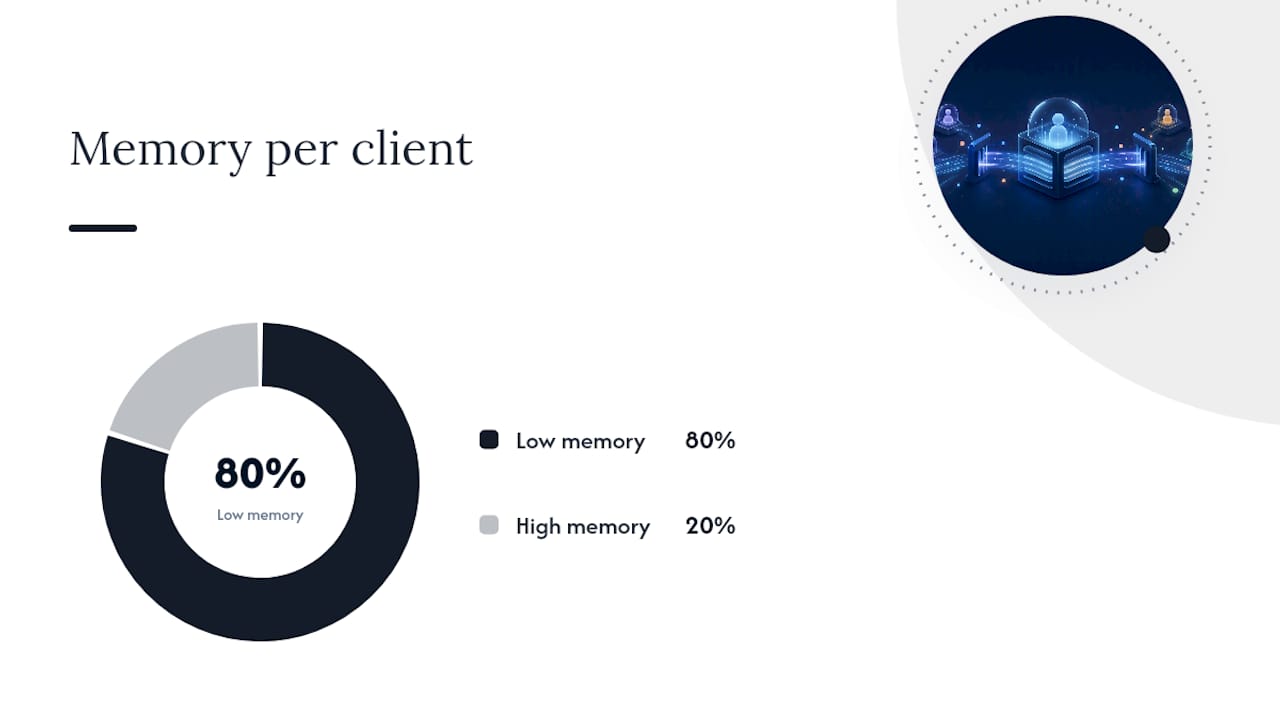
Sliding window counter blends the two: it weights the previous window's count based on how much of it still overlaps the current sliding window. Redis's own implementation guide recommends this as the practical default for most production APIs, and Cloudflare-scale deployments lean on it because it trades a small estimation error for constant, O(1) memory per client.
Token bucket refills tokens at a steady rate up to a cap, and each request consumes one. It naturally tolerates bursts up to the bucket size, which is why AWS API Gateway builds its throttling on token-bucket semantics, exposing separate rate and burst controls.
Leaky bucket processes requests at a fixed output rate regardless of how they arrive, smoothing bursts into a steady queue. It suits systems where downstream capacity is genuinely fixed, like a legacy database that can't handle spikes at any price.
| Algorithm | Accuracy (boundary behavior) | Memory per client | Burst behavior | Complexity | Best for |
|---|---|---|---|---|---|
| Fixed window | Weak at edges | Low (one counter) | Allows double-rate burst at boundary | Low | Simple internal tools |
| Sliding window log | Exact | High (per-request timestamps) | No burst leakage | Medium | Payment/auth endpoints |
| Sliding window counter | Near-exact | Low (O(1)) | Small, bounded overshoot | Medium | Public APIs, general default |
| Token bucket | Approximate | Low (counter + timestamp) | Allows controlled bursts up to bucket size | Medium | Developer APIs needing burst tolerance |
| Leaky bucket | Approximate | Low | Smooths bursts into steady output | Medium/High (queue mgmt) | Fixed-capacity downstream systems |
Where Should You Enforce Rate Limits?
You generally enforce limits at three layers, and most production systems combine at least two of them. Coarse, high-volume limits belong at the CDN or edge, catching obvious abuse before it reaches your infrastructure at all. Per-key throttles belong at the API gateway, where policies map cleanly to subscription tiers. Context-aware limits, the kind that need business logic like "this endpoint costs 5x quota because it triggers a report generation," belong in application middleware.
For distributed systems, a centralized store is what keeps every node counting the same thing. Redis is the common choice, and the trick is doing the read, decide, and update as a single atomic Lua script executed with EVAL, rather than separate GET and SET calls wrapped in application logic. Two requests arriving in the same millisecond on different nodes can otherwise both read "9 of 10 remaining" and both get approved, blowing past your limit. Django REST Framework's built-in throttling classes are a good example of the failure mode: they rely on the cache backend without atomic guarantees, which makes them fine for soft business-tier policies but unreliable for anything security-critical.
Pro Tip: When your Redis store is unreachable, fail open with a local, reduced token-bucket budget rather than failing closed. Blocking every request during an outage often does more damage than letting a temporarily unmetered trickle through.
Watch for clock drift across nodes sharing a window, and consider sticky routing only as a stopgap. It doesn't scale past a single-node deployment and adds an operational dependency you don't need once you have a shared store.
Testing and Monitoring Your Rate Limits
Validate the limiter logic in isolation first, then under real concurrency, then under simulated production load.
- Unit test the core decision logic (allow/deny/reset math) with no external dependencies.
- Integration test against the shared store with concurrent requests to catch race conditions.
- Load test with realistic burst patterns using Postman/newman, k6, or a custom runner that fires simulated clients in parallel.
- Verify response headers and
Retry-Aftervalues match what your clients actually parse.
Track the 429 rate, error ratio, latency, and per-key hit frequency in your dashboards, and alert when 429s exceed roughly 1% of total traffic. That threshold usually signals either abuse or a limit set too tight for legitimate usage.
Best Practices for Configuring API Rate Limits
Start conservative and loosen limits as real usage data comes in. Tightening later is a painful conversation with customers; loosening is invisible to them.
- Layer per-key limits (authenticated) with per-IP limits (unauthenticated) so one bad actor can't hide behind a shared address.
- Tier limits by subscription level and by endpoint cost. A search endpoint hitting three downstream services should cost more quota than a simple read.
- Always return structured JSON in the
429body alongside theRetry-Afterheader, so clients can programmatically parse the reason. - Document your headers publicly. Undocumented rate limits are the single fastest way to generate angry support tickets.
- Run multiple windows simultaneously, like a per-minute cap plus a per-day cap, to stop both burst abuse and sustained low-and-slow overuse.
Pro Tip: Publish your limits in your API docs with real numbers, not "reasonable use." Developers will build retry logic around whatever number you give them, and vague policies just mean they guess wrong.
Handling Clock Skew, Failover, and Cross-Region Sync
Multi-region APIs introduce a problem single-region systems never face: which region's clock, and which region's counter, is authoritative? If a client hits your US-East endpoint and then your EU-West endpoint thirty seconds later, and each region keeps its own counter, that client effectively gets double the intended quota.
The common fix is a single global counter store, often a Redis cluster with cross-region replication, so every region reads and writes the same state. That introduces latency, since a round trip to a counter in another continent adds real milliseconds to every request. Many teams accept a hybrid: enforce a generous per-region soft limit locally for speed, and reconcile against a global hard limit asynchronously, tolerating a small overshoot in exchange for lower latency.
Clock skew is a quieter but equally common bug. If your fleet's NTP sync drifts even a couple of seconds, window boundaries stop lining up between nodes, and a client can appear to get a fresh window on one node while another still has it capped. Always compute window boundaries relative to a shared, monotonic time source rather than trusting each node's local clock blindly.
Failover deserves its own explicit policy, not an afterthought. When the centralized store goes down, decide in advance whether you fail open (allow requests with a conservative local fallback, typically a small token bucket held in memory) or fail closed (block everything until the store recovers). Failing open with a reduced budget usually preserves more availability without inviting abuse, since attackers rarely time their attacks to coincide with your infrastructure outages. Test this failover path explicitly. It's the code path that runs least often and breaks silently if nobody exercises it.
Rate Limiting in Microservices: Centralized vs. Decentralized
Microservices architectures force a choice that monoliths never have to make: does one gateway enforce all limits, or does each service enforce its own?
A centralized gateway is simpler to reason about. One policy, one place to update it, one dashboard to watch. The catch is that it only sees traffic at the perimeter, so it can't catch a runaway internal service calling another internal service directly, bypassing the gateway entirely. That's a real gap in service meshes where east-west traffic often dwarfs north-south traffic.
Decentralized enforcement pushes rate limiting into each service, often via a sidecar proxy in a service mesh, so every hop between services gets its own limit regardless of entry point. This catches internal abuse the gateway misses, but it multiplies your configuration surface. Twenty services each need their own limits tuned, and inconsistent tuning between them creates confusing cascading failures where one throttled service backs up requests into three others.
The pattern that tends to work best in practice combines both: a coarse gateway limit at the edge for external traffic, plus lightweight per-service limits enforced locally (often backed by the same shared Redis store, or a local in-memory fallback for speed) for internal service-to-service calls. This layered approach mirrors the broader pattern of edge plus per-tenant plus per-service limits that shows up in large-scale multi-tenant systems generally.
One practical wrinkle: propagating the original partition key (user ID or API key) through every internal hop matters. If service B calls service C on behalf of a request originally rate-limited by user ID, but service C only sees service B's internal service identity, you lose the ability to attribute load back to the actual client causing it. Pass the original identity through headers or context, not just the immediate caller's identity.
Security Risks Rate Limiting Doesn't Fully Solve
Rate limiting is a security control, but it's a narrower one than most teams assume, and treating it as your only defense leaves real gaps.
Distributed attacks are the obvious evasion. An attacker spreading a credential-stuffing attempt across ten thousand IPs, each making a handful of requests, sails under any reasonable per-IP threshold. Per-account limits catch some of this, since the attacker is still trying the same usernames repeatedly, but a sufficiently patient, sufficiently distributed attacker can stay under almost any threshold you set. This is exactly why rate limiting works alongside a WAF and behavioral anomaly detection, not instead of them.
Slow-and-low abuse is the quieter version of the same problem. A scraper pulling your entire product catalog at one request every three seconds never trips a per-minute threshold, but it still walks off with your entire dataset over a weekend. Multi-window limits (a daily cap alongside a per-minute cap) catch this pattern where a single short window won't.
There's also a resource-exhaustion angle specific to the limiter itself. If your rate limiter tracks state per unique key with no cap on key cardinality, an attacker can generate millions of distinct fake API keys or spoofed identifiers specifically to bloat your counter store's memory, turning your defense mechanism into the attack surface. Cap key cardinality or expire idle keys aggressively.
Finally, watch for limiter bypass through header spoofing. If your fallback partition key is client-supplied (an X-Forwarded-For header, for instance) without validation against a trusted proxy chain, an attacker can simply set whatever IP they want and get a fresh quota on every request. Only trust identity headers set by infrastructure you control, never ones a client can set directly.
What Real Rate Limiting Failures Look Like
The most common real-world failure isn't a limiter that's too strict. It's one that quietly doesn't work the way the team assumed, and nobody notices until a spike exposes it.
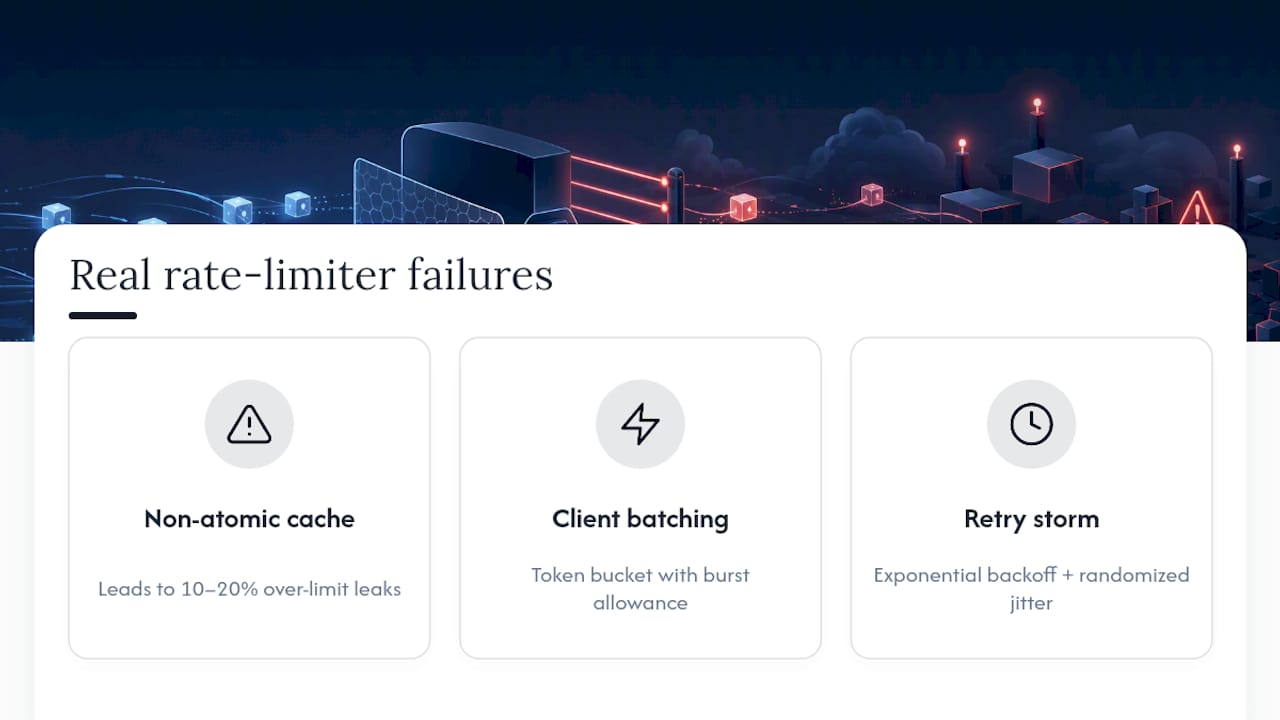
A frequent pattern: a team deploys application-level throttling using their web framework's built-in classes, backed by a shared cache, and assumes that's equivalent to atomic enforcement. Under moderate load it looks fine. Under a genuine burst, concurrent requests hitting the same cache key in the same millisecond both read the same "under limit" state and both get approved, and the limit quietly leaks 10 to 20% over its configured cap. This is precisely the gap Django REST Framework's own documentation acknowledges about non-atomic throttle backends. It's not a bug in the framework so much as a mismatch between what "throttling" promises and what a non-atomic cache read/write can actually guarantee.
Another recurring scenario involves third-party integration platforms. A client wiring up an automation tool that batches and replays webhook calls can generate sudden, sharp bursts that look nothing like organic human traffic. This kind of client-side batching, common with automation and workflow tools, is exactly why a pure fixed-window limiter often frustrates legitimate integrations. It punishes the burst even though the average rate over an hour is well within bounds. Token bucket, with a burst allowance sized to the platform's actual batching behavior, tends to fix this without loosening the underlying average limit.
The retry storm is the third classic failure, and it's almost always a client problem, not a server problem. When a limit resets on a clean minute boundary, and every throttled client retries the instant it thinks the window reset, you get a wall of synchronized requests at the reset second. Exponential backoff with randomized jitter on the client side is the fix, and it's worth documenting explicitly in your API docs, because most integrators won't add jitter unless you tell them to.
A Developer's Take on Sensible Defaults
Pick sliding window counter and move on. It's not the most exact algorithm, but it's the one that fails gracefully at scale. Reserve token bucket for the one or two endpoints that genuinely need burst tolerance. Then test under real concurrency before trusting any of it, because the failure mode you don't test for is the one that shows up in production.
Get a Full Platform Audit, Rate Limiting Included
Getting the algorithm right is one piece of a much bigger reliability picture, and most teams don't have the bandwidth to audit every layer of their platform the way a full product engineering review would. SaaS LaunchPad's 21-stage analysis covers exactly this kind of hardening work: architecture and performance review, security checks, and a scalability assessment that looks at how your rate limiting design holds up alongside your database load, caching layer, and failover behavior.

The output is a Product Excellence Blueprint plus a copy-paste-ready Master Transformation Prompt built for your specific stack, so instead of guessing whether your Redis-backed limiter will survive a real traffic spike, you get a concrete, prioritized roadmap for fixing what won't. Check SaaS LaunchPad's pricing to see the analysis credit packs, or head straight to the SaaS LaunchPad landing page to start your platform audit.
Sources
- Redis howtos — rate limiting
- Microsoft Learn — Rate limiting in ASP.NET Core
- IETF draft-ietf-httpapi-ratelimit-headers-10
- Postman blog — What Is API Rate Limiting?
- OpenAI developer docs — Rate limits guide
FAQ
How do I fix "API rate limit reached"?
Check the Retry-After header in the 429 response and wait that many seconds before retrying, ideally with exponential backoff and jitter rather than an immediate retry.
What is a good rate limit for an API?
There's no universal number: a common starting point is around 60 requests per minute for free-tier public endpoints, scaled up for paid tiers based on actual usage data rather than guesswork.
How do I implement API rate limiting?
Choose an algorithm (sliding window counter is the practical default), enforce it at your gateway or middleware layer, and back it with a shared store like Redis using atomic operations so counts stay accurate across distributed nodes.
How do I limit an API to 10 requests per minute?
Set a fixed or sliding window of 60 seconds with a cap of 10, store the count keyed by user ID or API key in Redis, and return 429 with Retry-After once the tenth request in that window is exceeded.
Does SaaS LaunchPad review rate limiting as part of its audits?
Yes. SaaS LaunchPad's 21-stage product analysis includes a performance and scalability review that examines rate limiting design alongside security, architecture, and infrastructure hardening.