TL;DR:
- No-code SaaS builders vary in capabilities, with Bubble leading for complex web applications and FlutterFlow excelling in mobile development. Rapid AI-driven platforms like Zite and BuildShip enable launching live apps within an hour, but may require migration as products scale. Matching the platform to the product's complexity, data needs, and compliance requirements is crucial for sustainable growth.
What are the best no-code SaaS builders right now?
Bubble leads the pack for complex, multi-tenant web and mobile SaaS products. Zite and BuildShip win on speed, getting you from prompt to live URL in under 60 minutes. FlutterFlow is the clearest choice for mobile-first founders who need App Store deployment. Softr and Glide handle internal tools and portals better than anything else at their price point. For regulated industries, Emergent's built-in HIPAA and SOC 2 compliance saves months of security work.
The 23 platforms below cover every major use case, from spreadsheet-to-app in an afternoon to enterprise-grade SaaS with real backend infrastructure. Pricing ranges from free tiers to enterprise contracts, and the right pick depends almost entirely on what you're building, not which platform has the most features.
| Platform | Best For | Pricing | Key Features | Pros | Cons |
|---|---|---|---|---|---|
| Bubble | Complex multi-tenant SaaS | Free; paid tiers | Full-stack visual builder, native mobile, AI prompting | Massive plugin ecosystem, scales to thousands of users | Steeper learning curve than most |
| FlutterFlow | Mobile-first SaaS | Free; paid tiers | Flutter code export, iOS/Android publishing | Real code ownership, strong native app support | Less suited for web-only products |
| Zite | Rapid prompt-to-production | Paid plans | AI-generated frontend, backend, and DB schema | Live URL in under 60 minutes | Newer platform, smaller community |
| Emergent | Regulated industries | Not publicly listed | HIPAA, SOC 2 compliance integrations | Built-in compliance for production SaaS | Limited customization flexibility |
| Softr | Internal tools and portals | Free; paid tiers | Airtable integration, portal optimization | Fast setup, strong permissions model | Not ideal for complex SaaS logic |
| Glide | Spreadsheet-based apps | Free; paid tiers | Spreadsheet sync, AI enhancements | Extremely fast to launch | Limited backend complexity |
| Adalo | Mobile SaaS | Free; paid tiers | Drag-and-drop native iOS/Android, plugin ecosystem | Visual and intuitive | Plugin dependency can cause breaks |
| Backendless | Scalable backend needs | Free; paid plans | Serverless backend, API generation, real-time data | Strong backend infrastructure | Front-end builder is less polished |
| Stacker | Workflow automation | Paid plans | Multi-source data integration, custom apps | Solid data connections | Narrower use case range |
| Appy Pie | Small business apps | Free; paid tiers | Templates, simple setup | Lowest barrier to entry | Limited scalability |
| Webflow | Design-centric frontends | Free; paid tiers | Pixel-perfect UI, CMS, interactions | Best-in-class design control | No native backend for SaaS logic |
| Zapier | Workflow automation | Free; paid tiers | 6,000+ app integrations, multi-step zaps | Connects virtually any SaaS stack | Not a builder; automation layer only |
| Launchpad.io | Early-stage SaaS launch | Not publicly listed | Integrated analytics, launch tools | Unified launch and metrics | Less known, smaller community |
| Figma Make | Design-to-app conversion | Paid plans | Figma-to-functional app pipeline | Ideal for design-led teams | Limited backend capabilities |
| Base44 | Data-driven internal apps | Not publicly listed | Flexible data modeling, workflow automation | Strong business logic tools | Smaller ecosystem |
| ToolJet | Open-source extensibility | Free (self-hosted); paid cloud | Self-hosting, wide integrations, custom UI | Full control, no vendor lock-in | Requires more technical setup |
| Atoms | AI-driven SaaS development | Not publicly listed | AI prompt-driven build experience | Fast AI-assisted workflows | Early-stage platform |
| WeWeb | Custom API-connected frontends | Free; paid tiers | Headless CMS, API integrations, design tools | Flexible frontend with backend freedom | No built-in backend |
| OutSystems | Enterprise SaaS | Enterprise pricing | Security, governance, scalability | Production-grade at scale | Expensive; overkill for small teams |
| Momen | Automation-heavy SaaS | Not publicly listed | AI-enabled workflows, app building | AI and automation depth | Smaller user base |
| DrapCode | Advanced data modeling | Not publicly listed | Complex database and UI controls | Strong backend within no-code UI | Less polished design tooling |
| Firebase | Scalable BaaS layer | Free; paid (usage-based) | Realtime database, auth, hosting | Powers no-code frontends reliably | Requires pairing with a front-end builder |
| BuildShip | Rapid prototyping | Not publicly listed | Iterative AI generation, code export | Fast prototype-to-production | Newer, limited track record |
Pro Tip: Before committing to any platform, build a throwaway prototype of your core user flow. An afternoon of hands-on testing reveals friction points that no feature list will.
How do these platforms actually compare in depth?
The table above gives you the snapshot. What it can't show is where each platform breaks down under real product pressure.
Bubble vs. FlutterFlow: the full-stack question
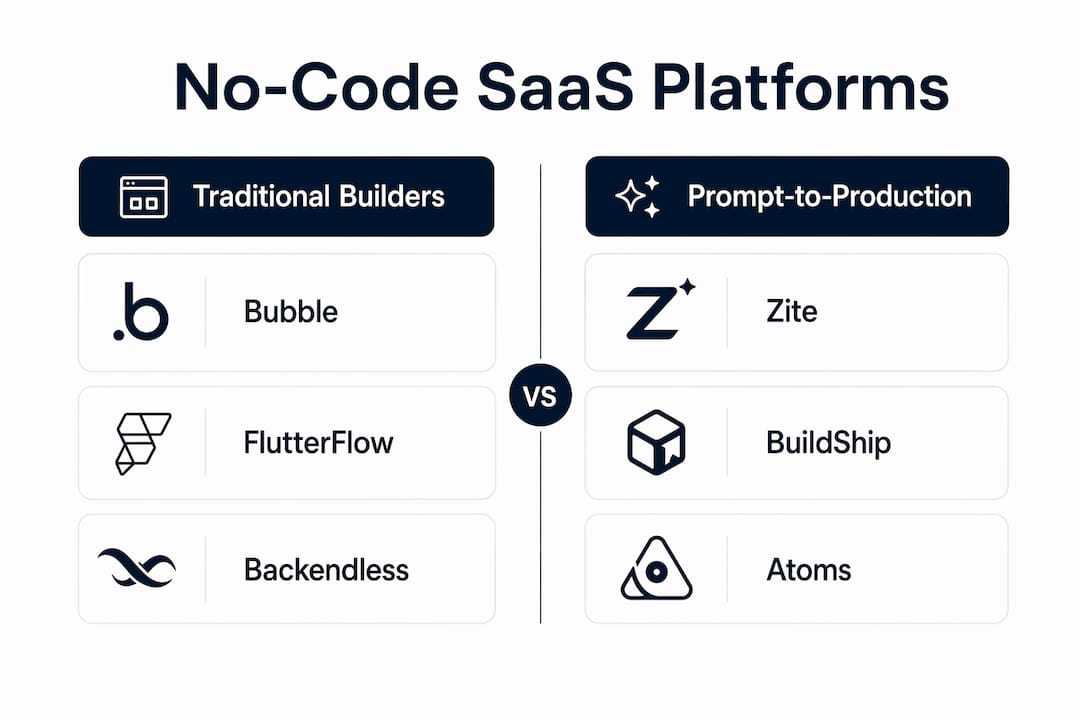
Bubble remains the most capable no-code SaaS platform for web products that need real backend logic, user roles, and multi-tenant data. Its visual editor handles database relationships, API calls, and conditional workflows without touching code. The tradeoff is a learning curve that takes most founders a week or two to clear. FlutterFlow takes a different angle: it generates actual Flutter code you can export, which means you're not permanently tied to the platform. If your product lives on iOS and Android, FlutterFlow's native publishing pipeline is the most direct path to the App Store.
Prompt-to-production builders: Zite, BuildShip, and Atoms
The newest category of no-code app creators skips the drag-and-drop interface entirely. Zite, BuildShip, and Atoms all use AI prompts to generate frontend, backend, and database schemas from plain language descriptions. Prompt-to-production platforms can get a live app with a real URL running in under 60 minutes. That speed is real, but these platforms are younger, with smaller communities and less documentation than Bubble or Webflow. Use them for fast validation; plan for a migration if your product scales significantly.

Internal tools vs. product-ready SaaS builders
This distinction matters more than most comparison articles admit. Softr and Glide are optimized for internal business apps: employee portals, client dashboards, inventory trackers. They connect to Airtable or Google Sheets and produce polished interfaces fast. But platforms relying on Airtable or similarly constrained databases hit a ceiling when you need complex relational data or multi-tenant user management. Bubble, Backendless, and DrapCode are built for the latter. Backendless in particular gives you serverless backend infrastructure, API generation, and real-time data without forcing you into a rigid front-end framework.
Compliance-first platforms
Emergent stands apart from the rest of this list because it leads with compliance rather than features. For founders building in healthcare, finance, or any regulated space, HIPAA and SOC 2 Type II documentation isn't optional. Enterprise-grade platforms must document compliance with SOC 2 Type II, HIPAA, and GDPR to pass procurement reviews. Emergent handles that at the platform level. OutSystems does the same at enterprise scale, though its pricing reflects that positioning.
Design-led and frontend-focused options
Webflow gives designers pixel-level control over UI that no other no-code platform matches. It's the right choice when your product's visual quality is a competitive differentiator. The catch: Webflow has no native SaaS backend. You'll pair it with Firebase for authentication and data, or use Zapier to wire in external services. WeWeb takes a similar approach but leans harder into API connectivity, making it a strong pick when you already have a backend and need a custom frontend layer.
Automation and integration layers
Zapier isn't a builder in the traditional sense. It connects your SaaS stack and automates workflows across more than 6,000 apps. Most founders use it alongside a primary builder rather than instead of one. Stacker fills a related niche: it pulls data from multiple sources and wraps it in a custom app interface, which works well for workflow-heavy internal tools. Neither replaces a full-stack builder for a consumer-facing SaaS product.
Thin-profile entries
Launchpad.io, Figma Make, Base44, and Momen each serve specific niches but have limited public documentation on pricing and track records. Figma Make suits design teams converting prototypes directly to functional apps. Base44 offers flexible data modeling for small teams building data-driven tools. Launchpad.io focuses on launch analytics for early-stage products. Momen targets automation-heavy SaaS with AI workflow integration. All four are worth evaluating if their specific angle matches your use case, but plan for less community support than you'd get from Bubble or Webflow.
What types of no-code SaaS builders exist, and why does it matter?
No-code software development platforms split into two fundamentally different categories, and choosing the wrong one is the most common mistake founders make.
Internal tool and portal builders (Softr, Glide, Stacker, Appy Pie) are optimized for speed and simplicity. They connect to existing data sources, generate clean interfaces, and get a working tool in front of your team or clients within hours. The tradeoff is ceiling: these platforms aren't designed for complex user authentication flows, multi-tenant SaaS billing, or high-volume data operations.
Product-ready SaaS builders (Bubble, FlutterFlow, Backendless, DrapCode, OutSystems) are built for the full product lifecycle. They handle user management, backend logic, API integrations, and deployment at scale. They take longer to learn and cost more, but they don't force a platform migration when your product grows.
The main benefits of going no-code for either category include:
- Speed: A focused MVP can go from concept to live product in days rather than months.
- Cost: Founders report saving over $65,000 in initial development costs using no-code mobile builders versus hiring agencies.
- Iteration: Changing a workflow or UI element takes minutes, not a developer sprint.
- Accessibility: Domain experts who understand their users can build without waiting for a technical co-founder.
The most common limitation is database rigidity. Platforms that lock you into proprietary or spreadsheet-based data structures work fine for simple tools but create real problems as your data model grows. Pairing a no-code front-end with an external backend like Firebase or Supabase solves this for many founders.
Pro Tip: Avoid the MVP-overbuild trap. Scope your first version to one core user problem and validate demand before adding features. Every extra feature you build before launch is a feature you might have to undo.
How do you choose the right no-code SaaS builder for your project?
The platform choice follows from the product, not the other way around. Start by answering these questions before you open a single demo:
- What is the primary output? A mobile app, a web app, an internal tool, or a customer portal each points to a different platform category.
- Who are your users? External paying customers require multi-tenant architecture and billing. Internal users need permissions and data access controls.
- What does your data model look like? Simple flat data works in Glide or Softr. Relational data with complex joins needs Bubble, Backendless, or DrapCode.
- Do you have compliance requirements? HIPAA or SOC 2 needs narrow your list immediately to Emergent, OutSystems, or platforms with documented certifications.
- What's your growth ceiling? If you expect to hit thousands of concurrent users within 12 months, start on a platform that scales there rather than migrating later.
- Do you need code ownership? FlutterFlow, BuildShip, and Zite offer code export. Bubble and Softr do not export your app logic in a portable format.
Pricing transparency varies widely across this list. Bubble, Glide, Softr, Adalo, and Webflow all publish clear tier pricing. Several platforms, including Emergent, Launchpad.io, Base44, and Momen, don't list pricing publicly, which means a sales conversation before you can evaluate total cost.
Community and support resources also differ sharply. Bubble has one of the largest no-code communities online, with forums, YouTube tutorials, and a marketplace of templates and plugins. FlutterFlow, Webflow, and Glide have strong documentation and active user communities. Newer platforms like Atoms, Zite, and BuildShip are building their communities but can't match that depth yet.
Pro Tip: The shift from coder to product architect is the real learning curve in no-code development. Stop thinking about syntax and start thinking about data architecture and user journeys. The founders who get the most out of these platforms are the ones who can map a user flow before they open the builder.
What do experts say about no-code SaaS development in 2026?
The cost savings from no-code development are well-documented. Founders save over $65,000 on average by building with native no-code mobile tools instead of outsourcing to agencies. For a solo founder or small team, that's the difference between launching and not launching.
Stat to know: Founders using no-code mobile builders report saving over $65,000 in initial development costs compared to agency outsourcing.
Speed gains are equally real. Prompt-to-production AI builders now generate frontend, backend, and database schemas from plain language descriptions, with live apps running in under 60 minutes. That's not a prototype. That's a deployed product with a real URL.
The pitfalls are just as concrete. Three patterns consistently derail no-code SaaS products:
- MVP-overbuild: Adding features before validating core demand delays launch and adds complexity that negates no-code's speed advantage. Ship the smallest version that tests your core assumption.
- Database lock-in: Platforms with rigid or proprietary database structures limit scalability. Relational mapping and external backends like Supabase or Firebase handle more complex needs without forcing a full rebuild.
- Maintenance underestimation: No-code is not no-maintenance. Dependency on third-party plugins can introduce incompatibility issues that require ongoing attention. Budget time for platform updates and plugin management, not just the initial build.
AI-first builders now offer code export as a standard feature, which addresses the vendor lock-in concern that held back earlier no-code adoption. Platforms like FlutterFlow and BuildShip let you export real source code, so a technical co-founder or hired developer can extend the product without starting from scratch. That flexibility changes the calculus for founders who expect to bring in engineering resources as the product matures.
Best practices for keeping a no-code SaaS product production-ready over time:
- Audit your plugin dependencies quarterly and remove anything that isn't actively maintained.
- Use an external backend (Firebase, Supabase, Backendless) when your data model has more than a handful of entity types.
- Document your data architecture and workflow logic as you build, not after. No-code products are harder to hand off than they look.
- Set up a SaaS audit checklist review before any enterprise sales conversation. Compliance gaps surface fast in procurement.
- Test your platform's scalability limits before you need them. Most platforms publish their performance ceilings; verify yours handles your projected user load.
Your no-code SaaS product deserves more than a builder
Most no-code founders pick a platform and start building. The ones who ship products that actually grow do something different first: they analyze the product the way a full engineering and product team would, before writing a single prompt.

SaaS LaunchPad by Stratevia runs your SaaS concept through a 21-discipline product analysis covering product discovery, UX audit, business logic, security, scalability, revenue modeling, and more. The output is a Product Excellence Blueprint and a copy-paste-ready Master Transformation Prompt tailored to your specific no-code platform, whether that's Bubble, FlutterFlow, Webflow, or any other builder on this list.
No subscription required. You purchase credits, run the analysis, and get a blueprint you can act on immediately. Credits never expire. It's the product thinking that most solo founders skip because they can't afford a full product team, delivered on demand.
If you're about to start building, or you've already launched and want to know what's holding your product back, run your analysis before your next sprint.
FAQ
What is the best no-code SaaS builder for beginners?
Glide and Softr are the most accessible entry points for founders with no technical background. Both connect to spreadsheet data, produce polished interfaces quickly, and have strong documentation.
Can you build a production-ready SaaS product without coding?
Yes. Platforms like Bubble, FlutterFlow, and Backendless support full-stack SaaS products with user authentication, billing integrations, and multi-tenant data at production scale.
How long does it take to build a SaaS app with no-code tools?
A focused MVP on a prompt-to-production platform like Zite or BuildShip can be live in under 60 minutes. A more complex product on Bubble typically takes days to weeks depending on feature scope.
What are the biggest limitations of no-code SaaS platforms?
Database rigidity, vendor lock-in, and plugin maintenance are the three most common constraints. Pairing a no-code front-end with an external backend like Firebase addresses the first two; auditing plugin dependencies regularly handles the third.
How does SaaS LaunchPad help no-code founders?
SaaS LaunchPad analyzes your product across 21 disciplines and delivers a Product Excellence Blueprint plus a platform-specific Master Transformation Prompt, giving you the product architecture thinking that most solo founders skip before building.
Key Takeaways
The most effective no-code SaaS builder is the one matched to your data model, user base, and compliance requirements, not the one with the most features.
| Point | Details |
|---|---|
| Match platform to product type | Internal tools suit Softr and Glide; complex SaaS products need Bubble, Backendless, or FlutterFlow. |
| Cost savings are real | Founders save over $65,000 on average using no-code mobile builders versus agency development. |
| Speed has a ceiling | Prompt-to-production builders deliver live apps in under 60 minutes, but newer platforms carry more risk at scale. |
| No-code requires ongoing maintenance | Plugin dependencies and platform updates demand regular attention, not just initial build effort. |
| SaaS LaunchPad adds product depth | Before building on any platform, a 21-discipline product analysis from SaaS LaunchPad delivers the blueprint and platform-specific prompt most founders skip. |